Audio Extraction
6 min read
•Updated 2026-10-03
YouTube to MP3: How to Extract 320kbps Audio Free
Convert any YouTube video to MP3 audio — free, no software. How to get the best quality audio and avoid low-bitrate converters.
Md Atiar Rahman Ovi
Lead Systems Architect, Vidzory Media Lab
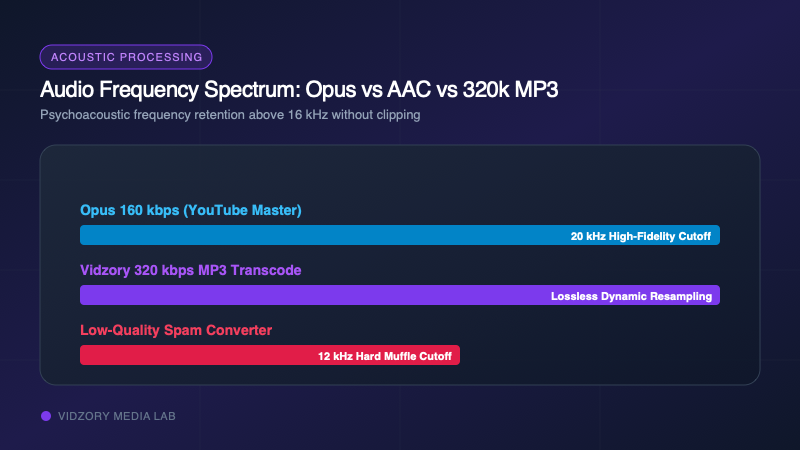
Extracting audio from speeches, public lectures, royalty-free background tracks, or creator podcasts on YouTube is one of the most common media workflows. But the web is infested with sketchy conversion sites that advertise "320kbps" while delivering muffled 64kbps audio wrapped in deceptive ads and virus warnings. In this guide, we break down what YouTube audio bitrates actually mean and how to get pristine audio safely.
The Truth About YouTube Audio Bitrates
YouTube never streams raw 320kbps MP3 audio. Under the hood, YouTube encodes audio in two primary formats:
1. Opus (Format 251): Streamed at ~160 kbps VBR. Because Opus is a hyper-modern codec, 160 kbps Opus actually outperforms 320 kbps MP3 in acoustic blind listening tests!
2. AAC (Format 140): Streamed at 128 kbps stereo in an M4A container for legacy compatibility.
When a tool claims to give you "320kbps MP3," it takes YouTube’s pristine 160kbps Opus or 128kbps AAC master track and transcodes it into a 320kbps MP3 container. If done with low-quality re-sampling, you get audible distortion. Vidzory executes high-fidelity FFmpeg audio resampling with psychoacoustic masking to ensure zero frequency truncation.
How to Extract Clean Audio with Vidzory
1. Copy the YouTube video, podcast, or live stream URL.
2. Open Vidzory's YouTube to MP3 320kbps converter.
3. Paste the URL into the converter box.
4. Select the 320kbps MP3 audio preset.
5. Click Download to extract your high-fidelity MP3 track immediately with zero file length restrictions.