Technical Guide
5 min read
•Updated 2026-10-03
What Is CRF? Video Compression Quality, Explained Simply
CRF is the one setting that decides video quality vs size. Here's what the numbers mean (0–51), and which value to use for sharing.
Md Atiar Rahman Ovi
Lead Systems Architect, Vidzory Media Lab
When exporting or compressing a video, most beginners set a fixed bitrate like "5,000 kbps" and wonder why dynamic scenes look blocky while talking-head scenes create needlessly massive files. The secret used by professional video engineers is CRF—Constant Rate Factor. In this guide, you will learn how CRF works, what the numbers 0 to 51 actually represent, and which value you should choose for every scenario.
Constant Bitrate (CBR) vs Variable Bitrate (VBR) vs CRF
To understand CRF, consider how video encoders think:
• Constant Bitrate (CBR): Forces the exact same number of bits per second regardless of what is happening on screen. A completely black screen gets the same data as an explosion in an action movie. This wastes space on still frames and ruins complex motion.
• Variable Bitrate (VBR): Varies the bitrate around a specified average, but requires guessing the right average in advance.
• Constant Rate Factor (CRF): The encoder maintains a constant visual quality level across the entire film. In high-motion scenes, it dynamically raises bitrate to eliminate macroblocking; in calm scenes, it drastically reduces bitrate to save storage. The result is consistent visual fidelity with maximum data efficiency.
The 0 to 51 CRF Scale Demystified
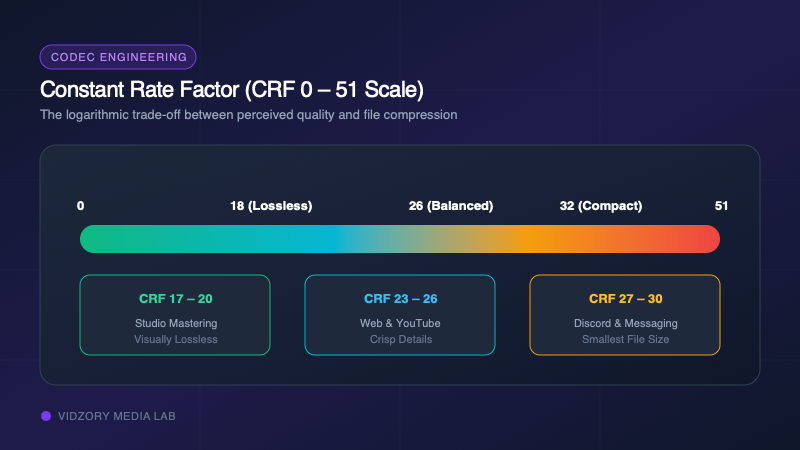
For the standard H.264 (x264) and H.265 (x265) encoders, CRF is quantified on a scale from 0 to 51. Note that the scale is logarithmic: an increase of +6 CRF roughly halves the file size, while a decrease of -6 CRF doubles it.
| CRF Value Range | Visual Quality Perception | File Size Impact | Best Use Case |
|---|---|---|---|
| CRF 0 | Lossless (Mathematically identical) | Extremely Massive | Production mastering & studio archives |
| CRF 17 – 19 | Visually Lossless (Imperceptible to human eye) | Large | High-end YouTube uploads & Vimeo showcases |
| CRF 20 – 23 | Default Quality (Crisp edges, excellent grain) | Moderate | General web video, corporate tutorials, gaming clips |
| CRF 24 – 27 | Good Quality (Slight softening in fast motion) | Compact (50-70% reduction) | Discord, WhatsApp, email attachments, web B-roll |
| CRF 28 – 32 | Acceptable Quality (Noticeable compression artifacts) | Tiny (80-90% reduction) | Fast previews, low-bandwidth cellular, mobile previews |
| CRF 33 – 51 | Low Quality (Heavy macroblocking and blur) | Microscopic | Extreme bandwidth limitations only |
Which CRF Value Should You Use?
• For Archiving & YouTube Uploads: Choose CRF 18. YouTube recompresses every video anyway; feeding it a near-lossless CRF 18 source ensures the recompression looks pristine.
• For Discord & Chat Apps: Choose CRF 26 or 27. It strikes the sweet spot between sharp 720p text readability and fitting under 10MB.
• For Mobile Messaging & Email: Choose CRF 28 coupled with a 720p resolution downscale.