Content Creation
5 min read
•Updated 2026-10-03
How to Turn a Video or Reel into a GIF (Free, No Watermark)
The free two-step way to convert any video or Instagram Reel into an animated GIF — download, then convert, with no watermark.
Md Atiar Rahman Ovi
Lead Systems Architect, Vidzory Media Lab
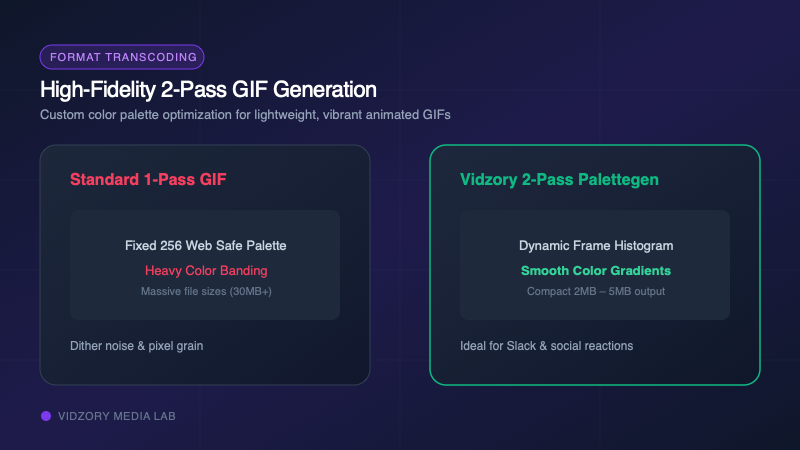
Animated GIFs remain the universal language of social media, Slack reactions, Reddit commentary, and newsletter illustrations. However, taking a video from TikTok, Instagram, or YouTube and transforming it into an animated GIF often yields either a blurry mess or an enormous 50MB file that refuses to load. Here is the optimal workflow to create crisp, fast-loading GIFs without watermarks.
The Secret to Small, High-Quality GIFs: Palette Generation
The GIF specification was created in 1987 and supports only a 256-color palette per frame. Standard video uses 16.7 million colors (24-bit TrueColor). When cheap converters convert video to GIF, they pick a generic static color palette, resulting in ugly banding and heavy grain.
Vidzory’s conversion pipeline generates a custom 2-pass dynamic color palette optimized specifically for your clip’s unique hues, ensuring smooth gradients and razor-sharp text.
The Two-Step Workflow
Step 1: Save the Video Source: If the clip is hosted on YouTube, TikTok, or Instagram, use Vidzory’s dedicated downloaders to save the MP4 clip.
Step 2: Convert to Animated GIF: Open the Vidzory Format Converter (/tools/format-converter), drag your video file into the window, select "GIF" as your target format, and adjust frame rate to 15 or 20 FPS for optimal file size.