Video Editing
6 min read
•Updated 2026-10-03
How to Resize a Video for TikTok, Reels & Shorts | Vidzory
The right aspect ratios for TikTok (9:16), Reels and Shorts, and how to refit any video without black bars — free, in your browser.
Md Atiar Rahman Ovi
Lead Systems Architect, Vidzory Media Lab
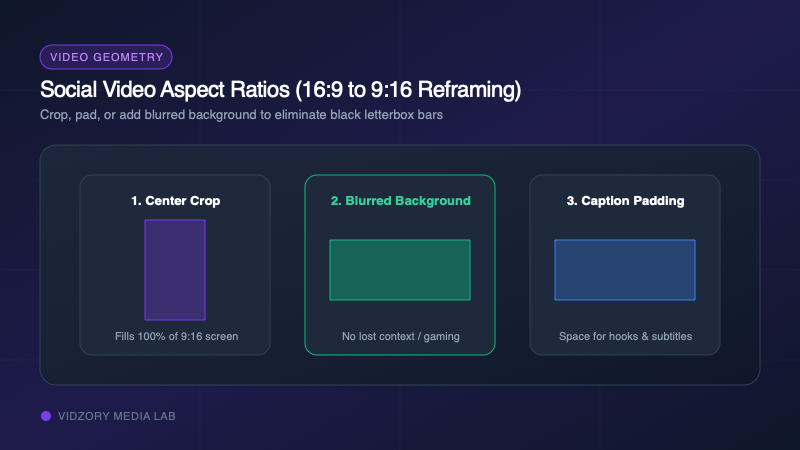
Repurposing horizontal 16:9 YouTube videos into 9:16 vertical clips for TikTok, Instagram Reels, and YouTube Shorts is the number one strategy for audience growth in 2026. But if you simply upload a landscape video to TikTok, it shrinks into the center of the screen flanked by giant black bars. Here is how to reframe your videos for maximum impact.
The 3 Ways to Convert 16:9 to 9:16
1. Smart Center Crop: Zooms in and crops the left and right sides of your video to fill the 9:16 frame completely. Best when the primary speaker or gameplay action stays centered.
2. Blurred Background Padding: Keeps your full 16:9 video intact in the center while creating a pleasing, blurred, zoomed-in version of the video behind it. Highly recommended for gaming highlights and movie clips.
3. Clean Matte Padding: Places your video on a crisp black or branded background, leaving space above and below for engaging hook text and captions.
Social Media Aspect Ratio Reference Table
Make sure you export with the exact pixel dimensions favored by platform recommendation algorithms:
| Format Name | Aspect Ratio | Pixel Resolution | Primary Platforms |
|---|---|---|---|
| Vertical (Full Screen) | 9:16 | 1080 × 1920 px | TikTok, Instagram Reels, YouTube Shorts, Snapchat |
| Standard Landscape | 16:9 | 1920 × 1080 px (or 4K) | YouTube Main, Vimeo, Facebook Watch, TV displays |
| Square | 1:1 | 1080 × 1080 px | Instagram Feed, LinkedIn Posts, Facebook Ads |
| Portrait Feed | 4:5 | 1080 × 1350 px | Instagram In-Feed Video, Facebook Feed |