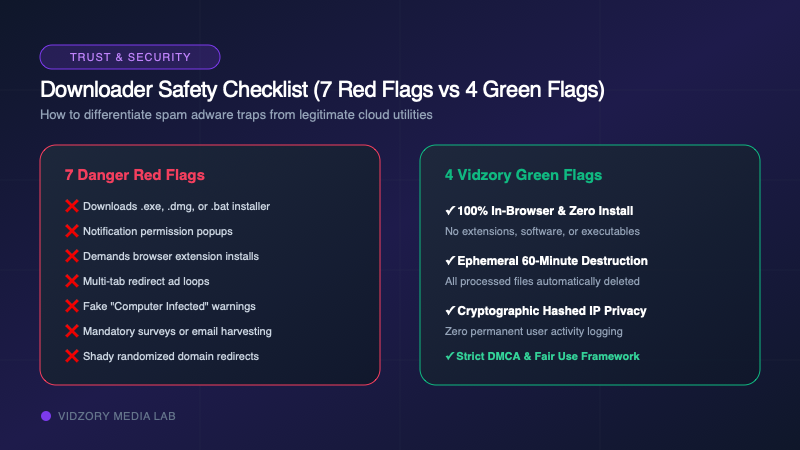
Searching Google for "free online video downloader" leads into one of the most treacherous neighborhoods on the internet. Many legacy downloader sites are monetized through aggressive popup networks, deceptive advertising, notification hijacking, and bundled spyware. But not all tools are malicious. How can you tell if an online media downloader is safe? Here are the 7 warning signs of a scam and the 4 green flags to look for.
If you observe any of the following behaviors, close the browser tab immediately:
1. It Downloads an .EXE, .DMG, or .BAT File: When you click "Download MP4", a safe tool serves a media file (.mp4, .mp3, or .webm). If the site serves a file ending in .exe, .iso, .dmg, or .zip, it is delivering a trojan installer or adware.
2. Browser Notification Traps: A prompt saying "Click Allow to prove you are not a robot" or "Enable notifications to start download". Once granted, spam networks bombard your desktop with fake virus warnings.
3. Aggressive Multi-Tab Redirects: Clicking anywhere on the page opens two or three background casino or adult advertising tabs.
4. Demands Software or Extension Installation: You do not need a Chrome extension to download videos. Web browsers can process downloads natively.
5. Fake "Your Computer Is Infected" Popups: High-pressure scareware designed to trick non-technical users into calling toll-free support numbers.
6. Survey Walls and Registration Paywalls: Demanding personal email addresses or phone numbers before unlocking your download.
7. Obscure Domain Hopping: Constantly redirecting between confusing subdomains with randomized strings.
A secure, professional media utility adheres to transparent web engineering standards:
• Green Flag 1: 100% In-Browser & Zero Installation: No plugins, extensions, or executables.
• Green Flag 2: Clear HTTPS & Strict Security Headers: Verified SSL certificates, HSTS encryption, and Content Security Policies.
• Green Flag 3: Transparent Ephemeral Privacy: Explicit documentation that files are stored in temporary encrypted scratch directories and purged automatically after 60 minutes.
• Green Flag 4: Clear DMCA & Copyright Policies: A real, contactable copyright agent and public takedown procedures.
Vidzory was built to eliminate the sketchy practices of 2010-era downloader sites. Our architecture runs completely serverless on global edge networks with sandboxed FFmpeg workers. We never show popups, never inject notification prompts, never retain your IP address, and automatically wipe all processed media after 60 minutes.
Frequently Asked Questions
Can visiting a video downloader site infect my computer with a virus?
Simply visiting a web page cannot infect a modern, patched browser. Infection occurs only if you download and execute a malicious file (.exe or .dmg) or grant permissions to a malicious browser extension.
Is Vidzory safe to use on iPhone and Android?
Yes. Vidzory operates entirely inside Safari and Chrome with no app installation required. Files are delivered as standard MP4 media objects directly to your device storage.